Posts

Showing posts with the label ci

Empowering Backend Engineering Team
Image
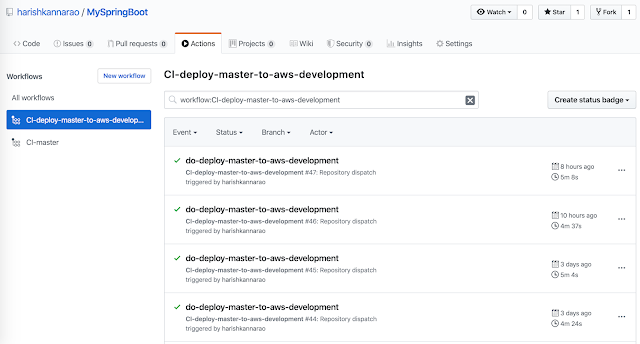
I am writing this blog to share the ideas and concepts which will empower the backend developer, devops engineer and QAs. Terraform Presentation Slide These ideas are not tied or limited to particular framework or libraries or cloud providers, instead these can be in many different ways using different tool sets which the team might already be familiar with. To achieve these end goals, the backend application and devops toolsets should be complementing each other in various aspects. I am going to list out the desired features I would like to have in my project / team under various categories. I have also created the following sample repositories on github to showcase these ideas in a simplified way. Sample Java Spring Boot application with Maven: https://github.com/harishkannarao/MySpringBoot Sample QA Acceptance tests with Gradle: https://github.com/harishkannarao/gradle-qa-acceptance-tests Sample Infrastructure as Code in AWS with Terraform: https://github.com/ha...

Headless Web Driver testing with Chrome on Headless Servers

Recently, I had a task to migrate the WebDriver based test cases from PhantomJs to Chrome headless and the tests were running on headless CI docker containers. The migration was not a smooth journey as I had anticipated and this article is based on my learning experience during this migration. PhantomJs was widely used for headless testing and now it has been unofficially abandoned by the PhantomJs team. So we had to switch to some other browser which is under active development and also which supports headless mode. The choice was Google Chrome (or Chromium). As more and more organizations move towards cloud containers or virtual machines to run their CI build, it is quite important to have the ability to run your WebDriver based tests in headless mode. My key learnings from this migration: Avoid using Xvfb (Virtual Frame Buffer) as virtual display when your test suite has hundreds of test cases.  Xvfb crashes in the middle of the test for unknown reason and Chrome fail...

Install a specific version of a package in Debian / Ubuntu

Quiet often we setup auto pipelines for Continuous Integration in Cloud (like GitLab CI, Travis CI etc) and we install required packages (like mvn or gradle) using apt-get install  command to run the build. Sometimes it is quiet important to have a specific major version of a package or major-minor version of a package to run the build, otherwise the build might break with unintended behaviour. Hence this post explains the following commands on Debian / Ubuntu operating system: List all available packages Search for a package List the available version of a package Install a specific version of a package Install a specific major version of a package Install a specific major.minor version of a package Install a specific major.minor.security version of a package List all available packages apt-cache pkgnames Search for a package apt-cache search jdk List the available version of a package apt-cache madison maven Install a specific version of a package ...